Published: 2026-05-23
Documentation for IT Engineering Teams
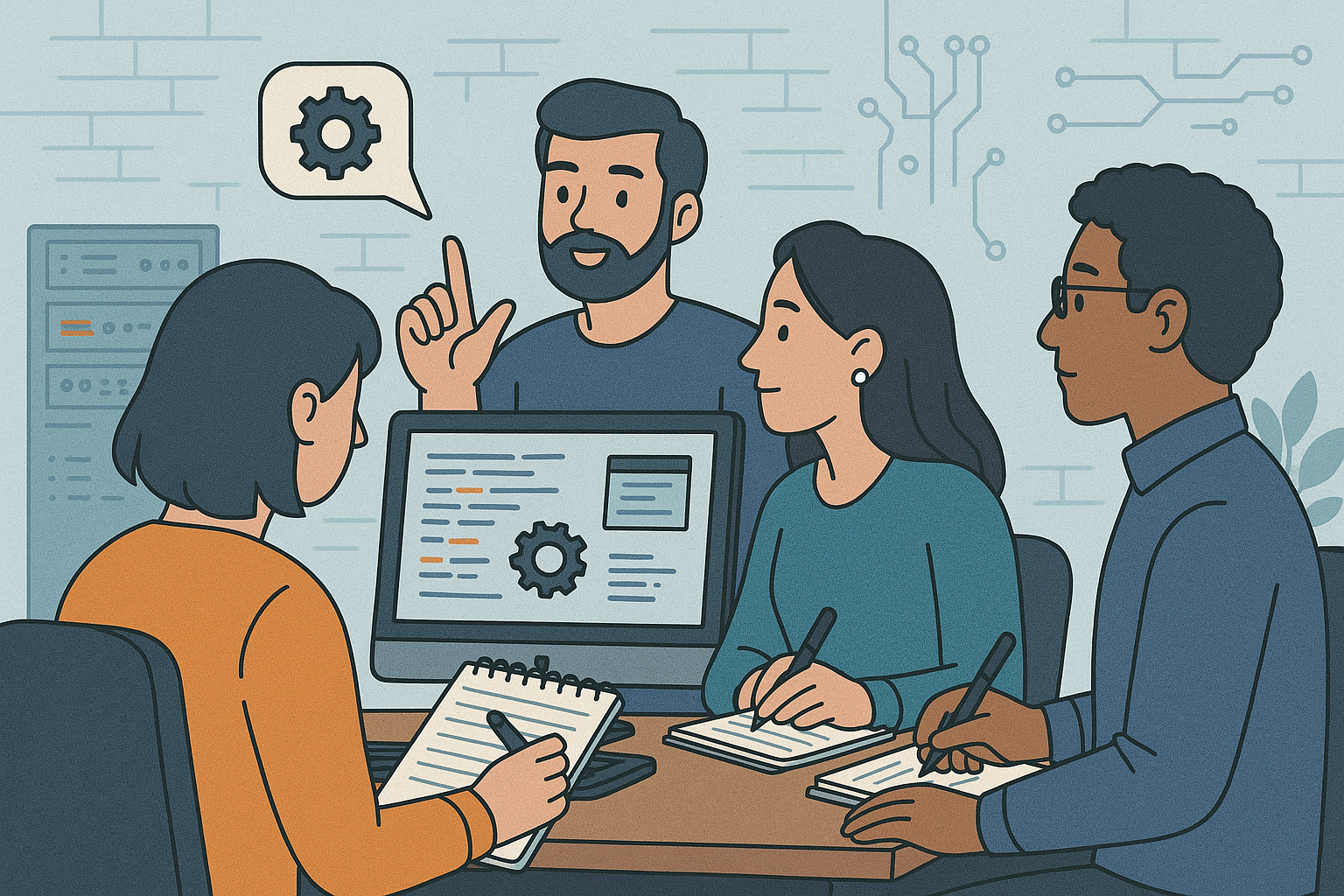
Teams do better when information is easy to find, share, and update. Too often, knowledge gets scattered across emails, chat threads, and personal notes, or worse, it never gets written down at all. To address this, I created a OneNote template that gives IT engineering teams a single, organized knowledge base and a simple methodology anyone can follow while documenting their work.
Although the template was created in OneNote, the approach can be used in any note-taking system, including Confluence, Obsidian, or whatever tool your team already uses. It is designed to capture technical documentation and other operational knowledge in a structure that is easy to maintain. Each technology the team manages should have its own dedicated copy, so the documentation stays focused and practical.
In truth, the tool matters less than the system. Every documentation platform has strengths, limitations, and tradeoffs the team will need to work through. What matters most is having an organized structure, a shared process, and the discipline to capture information as the work happens. A good tool can make documentation easier, but it cannot replace the habit of writing things down and keeping them organized.
That structure is what makes the template useful. As you fill in sections for support, licensing, audit evidence, ownership, monitoring, and upgrades, it works like an onboarding checklist and prompts you to capture information teams often forget when bringing in a new technology. For existing technologies, empty or thin sections quickly reveal gaps such as missing support contacts, unclear ownership, incomplete audit evidence, or knowledge that still lives with only one person.
Why Documentation Matters
Good documentation starts with good notes. For an engineering team, notes are the working layer: the decisions, steps, screenshots, fixes, and lessons captured while the work is happening. When those notes are organized and maintained, they become documentation the whole team can trust.
Good documentation allows each member to focus on their area of expertise without needing to be involved in every project, while still staying aligned with the rest of the team.
Each engineer acts as a Subject Matter Expert (SME) in specific technologies, developing deep knowledge in key areas, yet maintaining enough shared understanding that anyone on the team can step in, contribute, or take over when needed.
This structure also empowers leaders to delegate tasks confidently -- assigning responsibility to the right engineer and allowing that person to take ownership, build confidence, and grow their expertise.
Together with practices such as daily standups and team meetings, well-maintained notes ensure that every engineer can excel in their specialty while the rest of the team remains informed and capable of supporting their work in their absence.
Well-written notes make it possible to:
- Share knowledge quickly and clearly
- Avoid re-learning the same lessons individually
- Speed up problem-solving and onboarding
- Allow each team member to work more independently
- Enable the team to handle a larger workload at once
- Provide a living runbook for troubleshooting and upgrades
- Avoid the "I can't remember what we did..." problem
Mindset Shift
For this process to be effective, it requires a certain discipline: every engineer must consistently record their work -- especially changes to the technology, troubleshooting steps and resolutions, and “how-to” guides.
The best way to approach this is to work from the note itself. In other words, creating the note becomes the central activity, and the task naturally emerges from the act of taking notes. Whatever you do, start with a note -- either a new, empty one or within an appropriate existing section.
Common Mindset
The common mindset is: "I fixed it." The engineer solves the immediate problem, makes the change, and moves on. They may summarize what happened in a meeting or chat, but most of the knowledge stays in their head. Documentation becomes optional, usually happening after the fact, if it happens at all.
That approach can work in the moment, but the knowledge fades quickly. Teammates rediscover the same solutions independently, meetings become the main way information is shared, and the team loses time relearning work it already did.
Documentation Mindset
The documentation mindset is: "I fixed it and made it easier for the next person." The engineer creates a note as soon as work starts, uses it as the working space, and captures decisions, screenshots, steps, and outcomes as they go.
With this mindset, one person’s work becomes a shared resource the whole team can reuse. Team members learn faster by building on existing notes, more technologies can be supported with higher quality and less downtime, and organizational knowledge compounds over time.
Effective Documentation
Effective documentation depends on good note-taking. It takes practice, learning, and consistent effort to develop. In a corporate environment, it also requires leadership support to recognize its value, create the time and space for it to happen, set the expectation, and hold team members accountable for creating it.
No Shortcuts
There’s no way around it: notes take time. You put in the time now to save more later.
Three Simple Concepts
1. Capture What's Needed
- Ask: “What steps would another engineer need to follow to get the same result?” “What do I need to record to explain what happened and how I solved it?” and “What might the team need to remember in the future?”
- Include both overview (awareness, context, background) and details (step-by-step). This is where AI tools like Copilot can really help!
- Don’t forget screenshots where helpful.
2. Organize It
- Start messy if needed, then come back later to reorganize.
- Think table of contents: what will the structure look like once you’re finished?
- Keep a logical flow so notes can actually be followed.
3. Keep It Updated
- If you learn something new or something changes, update it.
- Use the date under the page title to keep track of the latest version.
Example Note Taking
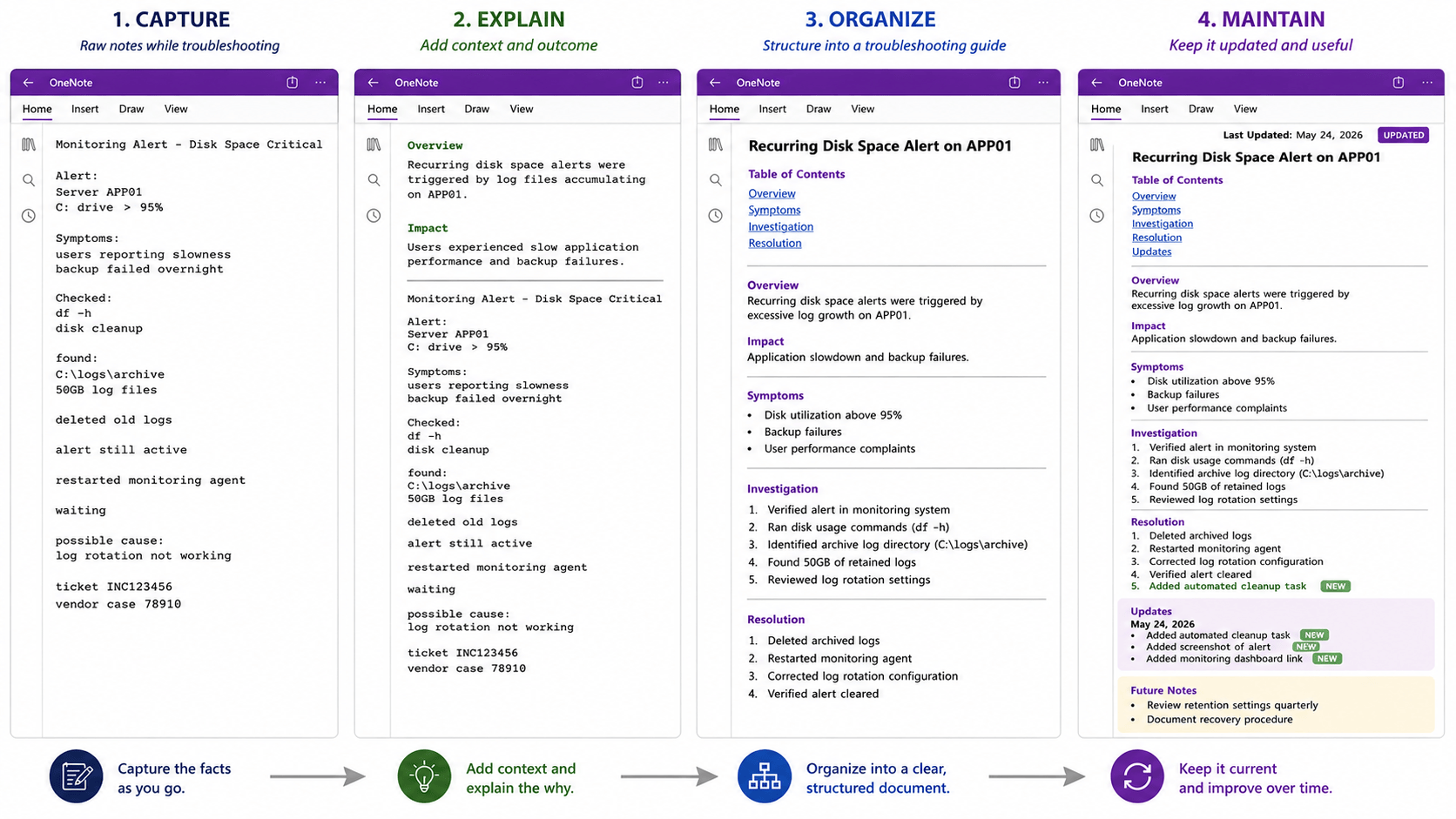
Imagine troubleshooting a recurring alert in a monitoring system. As you investigate, you capture the symptoms, commands you ran, screenshots, log snippets, dead ends, and the final fix. Once the issue is resolved, you can reorder those raw notes into a clear troubleshooting guide: start with a short overview, list the symptoms, document the investigation steps, and end with the resolution. If the note becomes long, add a table of contents so the next engineer can follow it quickly.
The order matters here.
- These are the raw notes as they are jotted down while you work. If you do nothing else, do this!
- Overview comes after the details.
- The table of contents comes later after you've written the main bulk of what you need.
- Go back and update things as needed.
The OneNote Template
How to Use It
Create a OneNote section group using the structure below and name it so you can recognize it as a template. Copy this section group each time you onboard a new technology, or once for each technology your team already maintains.
OneNote Tip
If you use OneNote, the OneMore add-in has a utility for copying section groups. Without it, you may need to save the section group and copy the folder structure manually from File Explorer.
- Encourage consistency: everyone places notes in the right section.
- Use subpages for specifics: each incident, upgrade, or meeting gets its own page.
- Use templated pages: for pages that repeat a structure, make it into a template.
- For instance, a troubleshooting event might always have: Problem, Further Information, and Fix sections.
- Archive regularly: move old content to keep the main sections tidy.
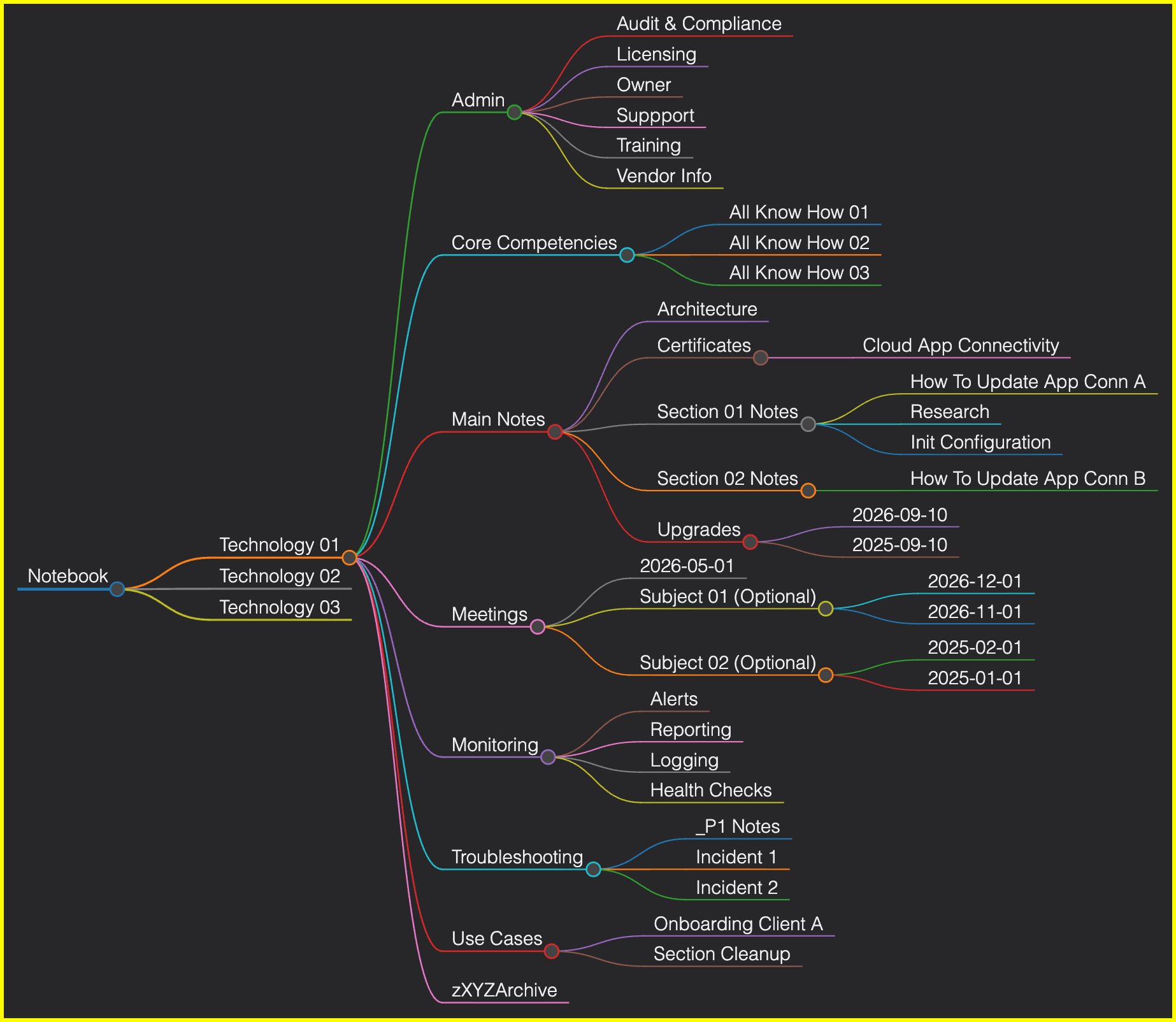
Template Overview Diagram
Template Definition
The sections below are not meant to be perfect on day one. They are prompts that help the team capture what it knows, discover what is missing, and build a structure that can improve over time.
Each technology should get its own section group or copy of the template.
You can download the (.onepkg) file here: z_tmplTechnology_v2
| Section | Structure |
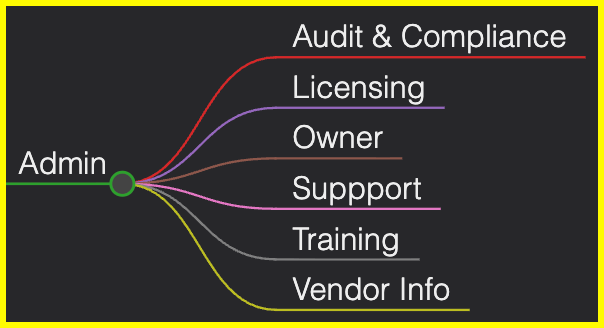 | Audit & Compliance
Licensing
Owner
Support
Training
Vendor Info
|
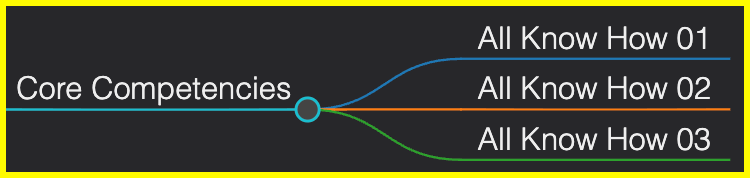 | Core Competencies
|
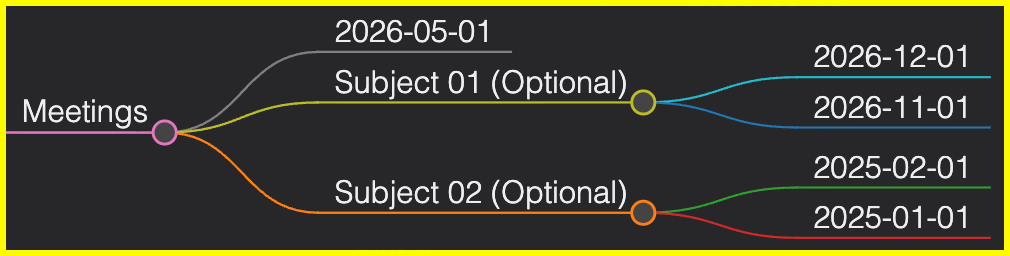 | Keeping meetings in their own section makes meeting notes easier to organize and review. Meetings
|
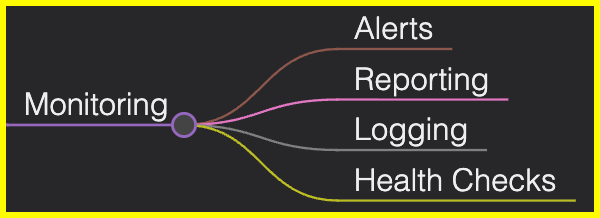 | Alerts
Logging
Reporting
|
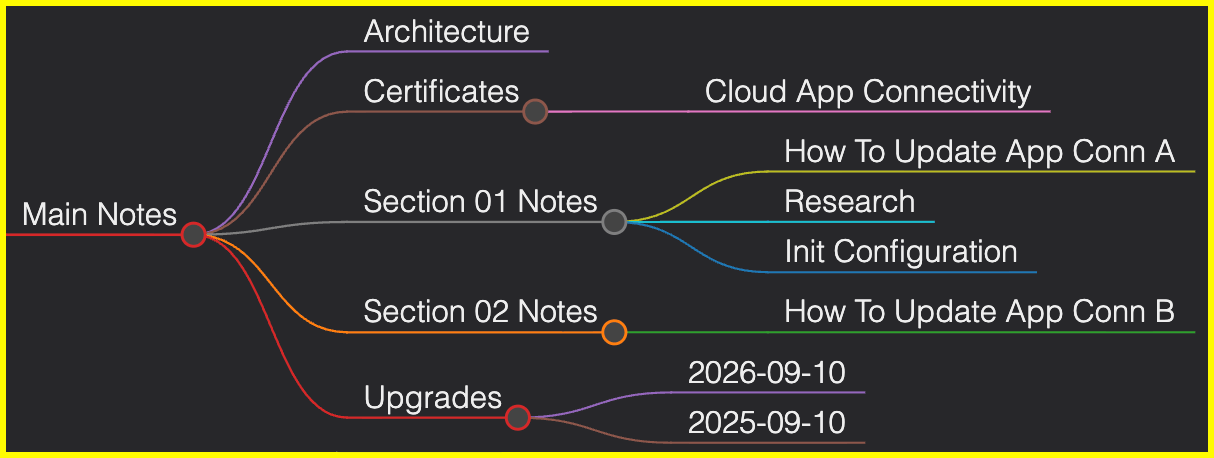 | Architecture
Certificates
Tech Notes (tn)
Upgrades
|
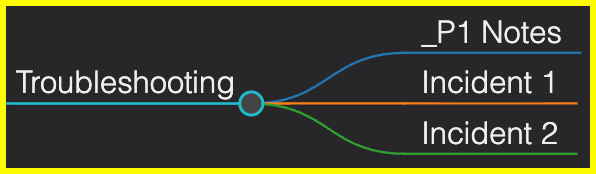 | Troubleshooting / Incidents
|
 | zXYZArchives
|
A template creates the structure, but it only works if the team uses it consistently. The rollout matters because documentation is not just a file structure; it is a behavior change.
How to Roll It Out
Documentation Owner
Each team should have one person responsible for helping maintain the documentation system. This does not mean they write everyone’s notes for them. Their role is to be the go-to person for the structure, expectations, access, and upkeep of the team’s notes.
Early on, this person may need to be more active: helping engineers find the right place for notes, reminding the team to document important work, checking that each person is doing their part, and keeping the structure from becoming messy. Over time, as the team learns the process, the role should become lighter and shift toward minor maintenance, cleanup, and guidance.
This person can also help manage how notes are shared beyond the team. That may include granting access, publishing useful internal notes as knowledge base articles, or sharing selected documentation with other teams when it would help the broader organization.
For the broader rollout, ADKAR gives leaders a practical way to think through adoption and make the new documentation habits stick.
ADKAR
ADKAR is a change-management model from Prosci that focuses on individual behavior change, which is exactly what note-taking habits are. ADKAR breaks change into five stages, each of which maps cleanly to improving documentation and knowledge sharing.
Awareness
Why change? - Goal: Help the team understand why better note-taking matters.
For note-taking, Awareness means clearly communicating:
- Knowledge loss when people move on, forget, or leave
- Repeated work caused by undocumented fixes
- Slow onboarding and increased dependency on “that one person”
- Risk during incidents when context isn’t written down
Key message:
“We’re not bad at our jobs. We’re losing value because our work disappears.”
If people don’t believe there’s a problem, they won’t change how they work.
Desire
Why should I care? - Goal: Create personal motivation, not forced compliance.
Desire grows when people see:
- Fewer interruptions because answers live in notes
- Less pressure to remember everything
- Recognition for creating reusable knowledge
- Easier handoffs and vacations without guilt
Important: You cannot mandate desire. You enable it by showing that:
- Notes protect their time
- Notes reduce their stress
- Notes make their work visible and valued
Knowledge
How do I do this correctly? - Goal: Remove uncertainty and friction.
Teams often fail here by saying “document more” without explaining:
- What should be documented
- Where notes should live
- How much detail is “enough”
- What a “good note” looks like
For note-taking, Knowledge includes:
- Simple templates (problem, context, steps, outcome)
- Examples of good real notes from the team
- Clear expectations (notes during work, not after)
- Naming conventions and structure
Key principle:
If people aren’t documenting, it’s often because they don’t know how, not because they don’t want to.
Ability
Can I realistically do this? - Goal: Make the new behavior achievable under real conditions.
Ability is where change often breaks down.
To enable Ability:
- Reduce friction (fast note tools, screenshots, copy/paste)
- Allow imperfect notes (not everything must be polished)
- Encourage documenting while working, not at the end
- Make notes part of the workflow, not extra work
Critical insight:
If note-taking feels like “extra work,” it will always lose to urgent tasks.
Reinforcement
How do we make it stick? - Goal: Prevent regression to old habits.
Reinforcement should be:
- Positive (recognition, reuse, appreciation)
- Visible (linking notes in tickets, incidents, reviews)
- Consistent (leaders modeling the behavior)
Effective reinforcement examples:
- “This incident was resolved faster because of X’s notes”
- Sharing useful notes in team channels
- Referencing notes during meetings instead of re-explaining
- Treating notes as the source of truth
What not to do:
- Punish people for missing notes early on
- Turn documentation into a checkbox exercise
Closing Thought
Documentation does not become valuable because a team picked the perfect tool. It becomes valuable when engineers capture useful notes while they work, organize those notes into a system others can follow, and keep that system current over time. Start with the notes, give them structure, and let the documentation improve as the team uses it.